
Build polished, professional-looking videos in minutes — without touching a timeline.
AI Video Creator packages 1,500 done-for-you templates, 500 pre-written scripts and 1,500 real recorded voice-overs into one desktop tool, so you can put together marketing, review and social videos fast — even if you've never edited video before.
A complete video-building toolkit, preloaded and ready
Every template, script and voice-over ships inside the software — nothing extra to buy to get started.
Skip the biggest obstacles to making video content
Most people avoid video because it's slow to learn, expensive to outsource, or both. Here's how this tool addresses each one.
No editing learning curve
The template-and-script workflow replaces a traditional timeline editor, so there's nothing complex to learn before you produce your first video.
Real voice-overs, not robotic TTS
Every line in the script library was recorded by a professional voice artist, which avoids the flat, synthetic tone common in cheaper video tools.
One flat fee, no per-video cost
Renders are unlimited under the license, so you're not paying per export, per minute, or per additional video the way you would with a freelancer.
Built for specific niches
Fifteen template packs are organized by use case — from e-commerce to local marketing — plus a generic pack for anything that doesn't fit a category.
Runs locally on PC or Mac
The software installs directly on your computer rather than requiring an ongoing cloud subscription to operate.
Reusable for client work
Commercial usage rights are included, so freelancers and agencies can use output for paying clients under the license terms.
Everything packed into the software
🎞️ 4-in-1 engine
Combines template selection, script builder, voice-over library and a motion-graphics editor in one interface.
🎨 23 motion animations
Apply built-in motion-graphic transitions to images, video clips and on-screen text.
🎵 9 royalty-free tracks
Background music options included at no extra cost, cleared for use in your finished videos.
🖼️ 11 background images
Preloaded backdrop imagery for slides that don't use your own footage.
🔤 12 font styles
Swap typography per project to match a brand or niche.
📥 Import your own media
Drop in your own images and video clips alongside the built-in template assets.
🧩 Drag-and-drop slides
Reorder, add or remove scenes without needing timeline-editing experience.
📤 Export anywhere
Finished videos export as standard files ready to upload to YouTube, Meta platforms, or your own site.
Template software vs. hiring it out vs. free tools
| Factor | Freelance video editor | Free/basic editor | AI Video Creator |
|---|---|---|---|
| Typical cost per video | $150–$1,000+ | Free | $0 after one-time license |
| Turnaround time | Days to weeks | Hours (DIY skill-dependent) | Minutes |
| Editing skill required | None (outsourced) | Moderate–high | Minimal |
| Professional voice-over included | Extra cost | Not included | 1,500 included |
| Pre-written scripts | Extra cost | Not included | 500 included |
| Unlimited revisions/renders | Limited by contract | Yes | Yes |
Five steps from blank project to finished video
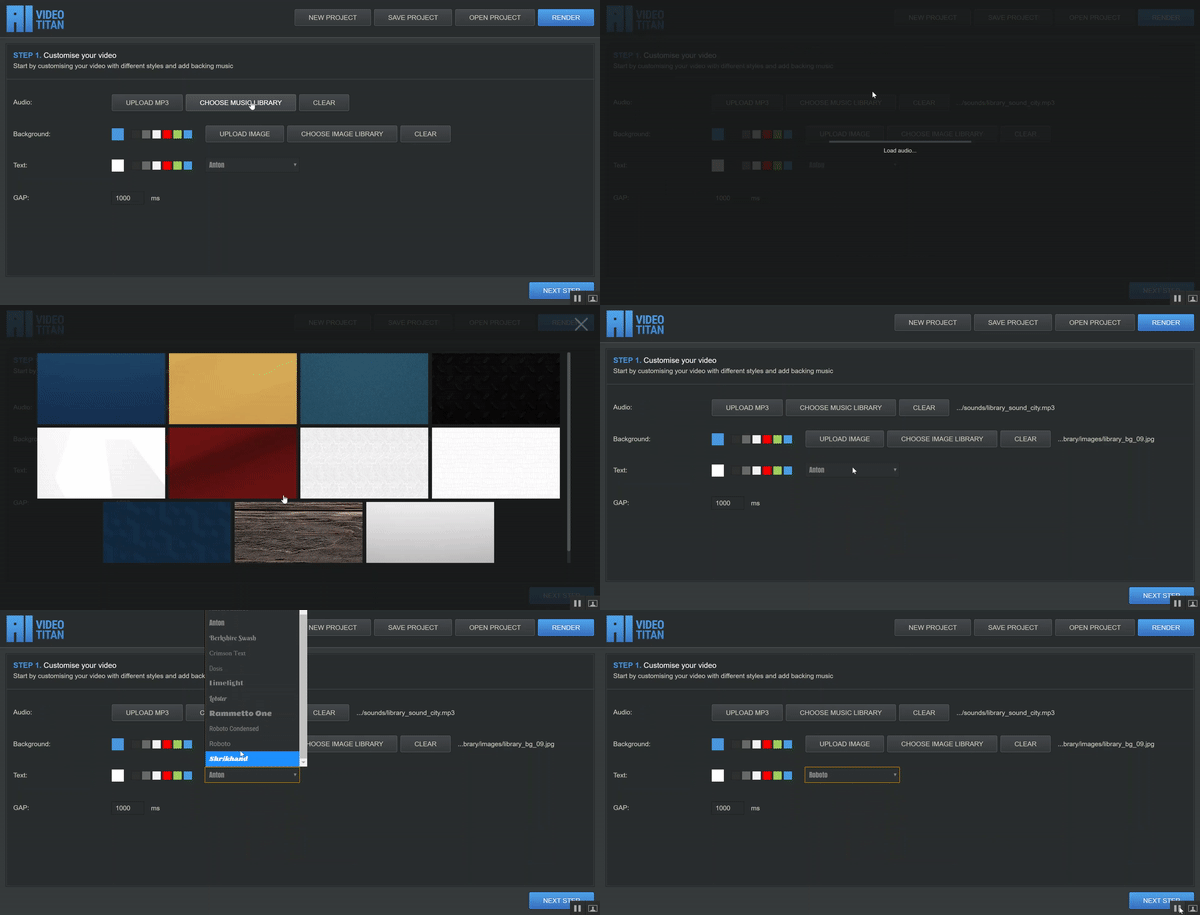
Customize the base template
Pick a backing track, a background image and a font before moving to the next step.
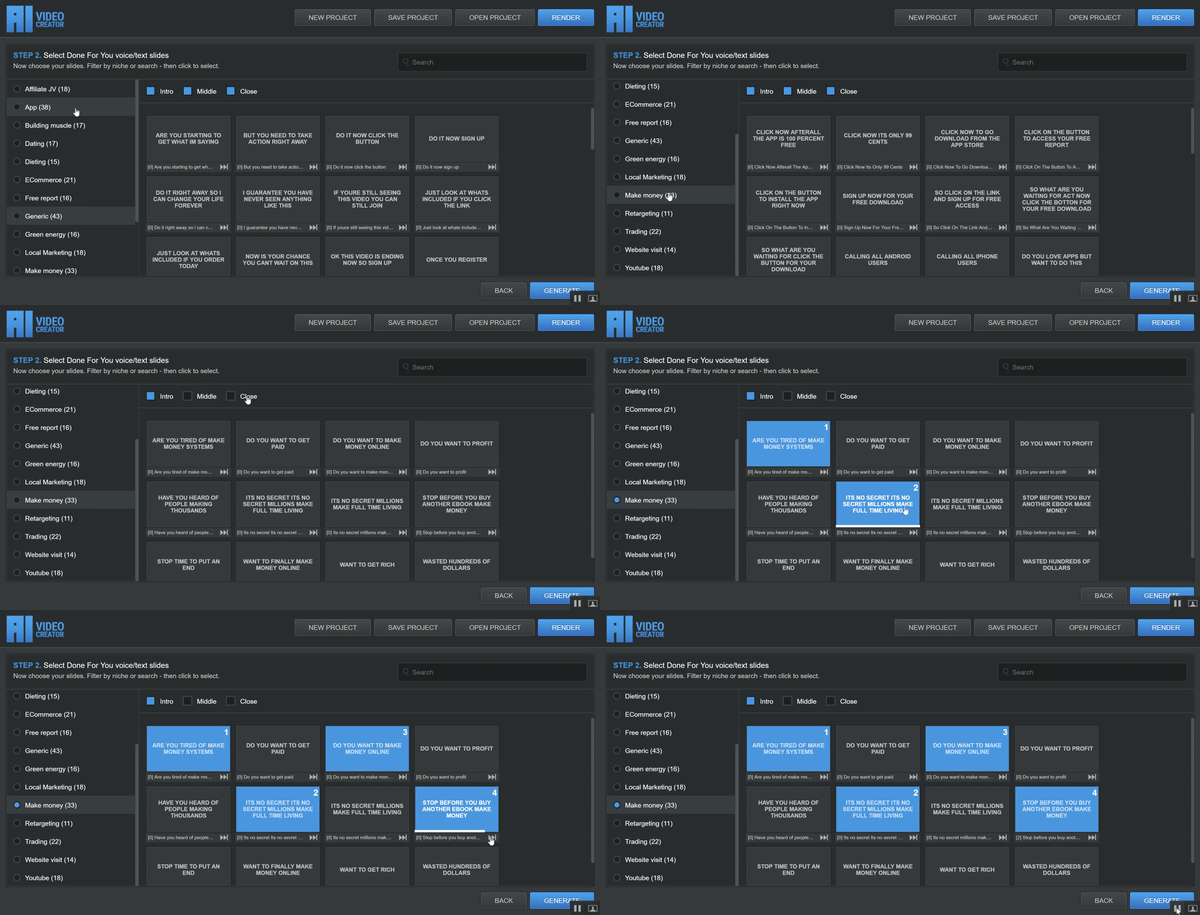
Choose a template pack
Select from 15 niche/method packs — including affiliate marketing, e-commerce, local marketing, dieting, dating and more — or use the generic pack for anything else.
Drop in pre-written script lines
Filter by intro, middle and closing slides, then click to add lines from the 500-script library.
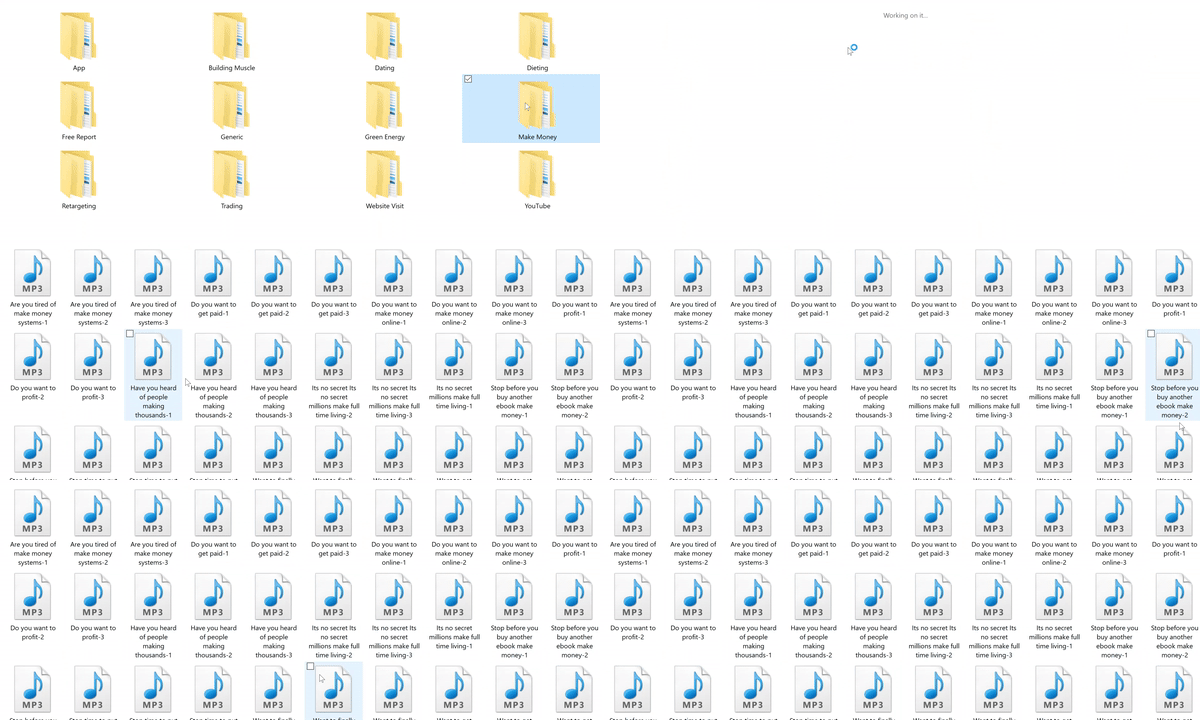
Attach a recorded voice-over
Each script line has multiple recorded takes to choose from, read by a professional voice artist.
Edit, animate and export
Adjust text, import your own media, apply motion-graphic transitions, reorder slides, then export and upload.
Who actually gets the most out of this software
YouTubers
Faster turnaround on explainer and review-style videos.
E-commerce sellers
Product and promo videos without hiring a production team.
Affiliates & marketers
Review-style and offer videos for campaigns.
Local businesses
Local-marketing template pack built specifically for this use case.
What you get with the license
- 4-in-1 desktop software (PC & Mac compatible)
- 1,500 done-for-you video templates across 15 niche packs
- 500 pre-written script/slide templates
- 1,500 pre-recorded professional voice-over takes
- 23 motion-graphic animation styles
- 9 royalty-free backing tracks + 11 background images + 12 fonts
- Getting-started video training
- Commercial usage rights for client work
- Unlimited video renders, no per-video royalties
- Access to the vendor's customer support team
Use cases covered by the template library
Affiliate/JV promotion • App marketing • Fitness & muscle-building • Dating • Dieting • E-commerce/Shopify • Free-report & list-building • Green energy • Local marketing • Internet marketing • Retargeting offers • Trading • Website-traffic offers • YouTube ad campaigns • A generic 43-slide pack for everything else
Pros and things to consider
✅ Pros
- Very low entry price for the amount of pre-built content included
- Real recorded voice-overs instead of robotic text-to-speech
- No prior video-editing experience required to get a usable result
- One-time fee rather than a recurring subscription
- 60-day money-back guarantee reduces the risk of trying it
⚠️ Things to consider
- It's desktop software, not a browser-based tool — you'll need to download and install it
- Template-based videos will always look somewhat templated compared to fully custom production
- Results depend heavily on your own offer, niche and follow-through — video creation is only one part of a marketing plan
- As with any "done for you" content, popular templates may be reused by other customers, so some customization is worth doing
- Always confirm current pricing and version details on the official order page before purchasing, as offers can change
Frequently asked questions
Yes. The software is built to run on both Windows PCs and Apple Macs, with download access provided immediately after checkout.
You get the 4-in-1 software suite, the full template/script/voice-over library, motion-graphics tools, and the included video training.
The vendor offers a 60-day money-back guarantee. If it's not a fit, you can request a refund directly through their support channel within that window.
Yes, the vendor provides access to a customer support team for setup and usage questions.
No software can guarantee earnings or view counts. This tool speeds up video production; results still depend on your niche, offer, audience and effort.
60-Day Money-Back Guarantee
Try AI Video Creator for a full 60 days. If it isn't the right fit for how you work, contact the vendor's support team for a refund — no long forms, no hoops to jump through.
Get Instant Access — Risk-FreeSecure checkout
Processed via ClickBank's order system.
One-time payment
No recurring subscription required.
Instant download
Access the software right after checkout.
60-day guarantee
Backed by the vendor's refund policy.
Ready to build your next video without the editing grind?
Get the full template, script and voice-over library today, backed by a 60-day money-back guarantee.
Claim Your Discount Now